




Let the world
see your story.

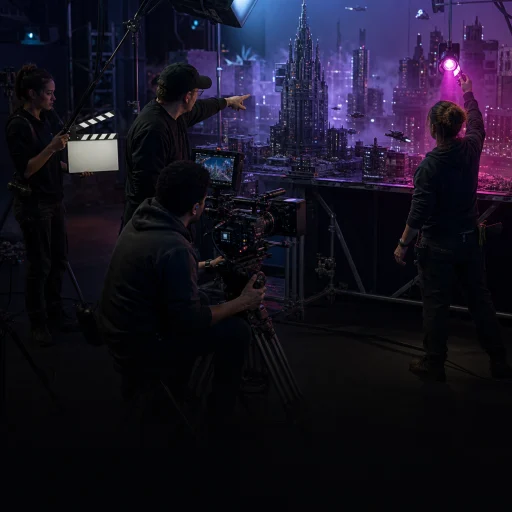
Bring your characters, scenes, and ideas. Lyvia helps you turn them into something people can see—without needing to become an AI expert first.

Characters that stay consistentMultiple engines. One balance.Create while the idea is alive
Watch

Keep going while the idea is still warm.

Some tools put your creativity on hold until a quota comes back. Lyvia works differently: use credits when you need them, and keep shaping the next shot while the story is alive.

No arbitrary reset clock

No arbitrary reset clock

Hit the limit and need to wait until tomorrow? Ain’t nobody got time for that. Buy credits, use them anytime—your credits never expire.

Multiple engines, one workspace

Multiple engines, one workspace

No need for multiple subscriptions. One Lyvia subscription gives you the world’s latest and best models in one creative workspace.

Flexible cost and speed

Flexible cost and speed

From flagship models to experimental engines, Lyvia gives you the right balance of cost, speed, and quality for each shot.

Your story deserves
world's best models.

Keep your prompts, references, and projects together. Lyvia brings image and video engines into one familiar creative workspace.

LyviaLive
  • Lyvia Clara
  • Lyvia Lumi
  • Lyvia Pony
GoogleLive
  • Gemini Omni Flash
  • Nano Banana 2
  • Veo 3.1
AlibabaLive
  • HappyHorse 1.1
  • Wan 2.7
  • Qwen Image Pro
OpenAIComing soon
  • GPT Image 2
xAIComing soon
  • Grok Imagine 2

Nothing
can stop you.

Lyvia believes in creative freedom. If you find the AI models too limiting, you can turn off the Content Filter. To avoid abuse, this option only available for Pro subscribers.

Make more of the story
you have in mind.

01Character continuity

Keep the same character in every scene.

Cast once, then move your character through worlds, locations, and story beats. When a shot needs extra help, face swap is there as a finishing tool.

02Story to shot

Direct the world. We handle the model language.

Bring the character, the story, and the feeling. Lyvia translates that direction into the right workflow for the selected model and shot.

03Creative momentum

Keep making while the idea is alive.

Move to the next scene when it matters—not when a temporary generation allowance decides you can create again.

You direct. Lyvia translates.

You should not need another course in prompts, camera jargon, and model settings before you can make something that feels like yours.

  1. 01

    Bring the ingredients

    Add a character, product, garment, references, or just a rough story.

  2. 02

    Give creative direction

    Describe the moment you want to make in plain language—not a technical prompt course.

  3. 03

    Keep the production moving

    Generate the next image or video, refine it, and continue while the idea is alive.

Frequently Asked Questions

What is Lyvia?

Lyvia is an AI production studio for creators and businesses. It brings image and video generation, powered by in-house AI models and worlds best AI models into one, comfortable workspace.

Can Lyvia create AI videos with consistent characters?

Yes. People use Lyvia to create UGC, social media content, product ads, and short movies.

Is Lyvia an alternative to Google Flow or a Gemini video generator?

Lyvia provides the same Gemini Omni Flash and Google's Veo models, along with other models. It is a practical choice when you want to keep your references, character assets, and project workflow in one studio instead of juggling separate AI subscriptions.

What is the advantage of using Lyvia vs. Gemini, Google Flow, or Grok?

Lyvia is designed for the work after your first experiment. Instead of moving between free quotas and separate subscriptions, you can keep your references, prompt direction, and generated assets together while choosing the supported model that fits each shot. Credits never expire, so you can continue a project when the idea is ready, not when a daily allowance resets.

Why use Lyvia instead of aggregators like Leonardo or OpenArt?

Lyvia is built to be a creative studio, built by creators, for creators. It is not a big company, nor a community. Just a private place to freely visualize your imagination, somewhere you can explore and create.

Do Lyvia videos have the Gemini or Veo logo watermark in the bottom right corner?

No, all videos generated in Lyvia do not include the visible Google Flow or Veo corner watermark, which is very useful for commercial purposes. SynthID still be applied but it's invisible.

Is Lyvia free?

No. Rather than increasing price to cater free users, we prefer rewarding loyal Lyvia Pro subscribers with a premium experience and discounts. Lyvia is a paid, credit-based studio. Credits never expire, so you can buy the capacity a project needs and use it when you are ready instead of relying on a small daily generation allowance.

Can I use Lyvia-generated images and videos commercially?

Yes. Your content generated with Lyvia is yours. You are responsible for having the rights to your products, references, and any person's likeness, and for following applicable laws and the policies of the platform where you publish.

Can Pro users adjust the content filter?

Eligible Pro users can adjust the content-filter setting. This does not permit prohibited content or override provider policies, consent requirements, laws, or platform rules.

Built for
ambitious creators.

You have a character, world, campaign, or story you want to keep building—and you want a creative home for the next scene.

You are only looking for unlimited free generations or a one-off novelty clip. There may be a better fit for that.

Your next idea
is waiting.

Bring a character, a scene, or just the beginning of an idea. We’ll help you take it from there.

Happy generating!